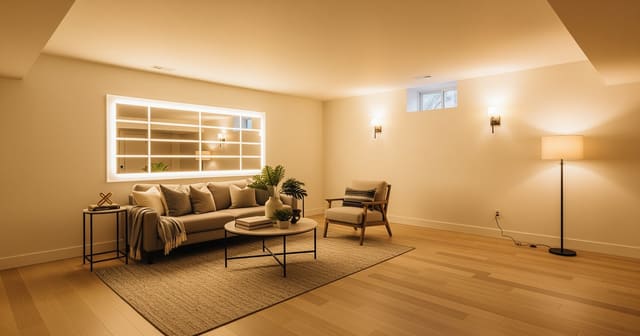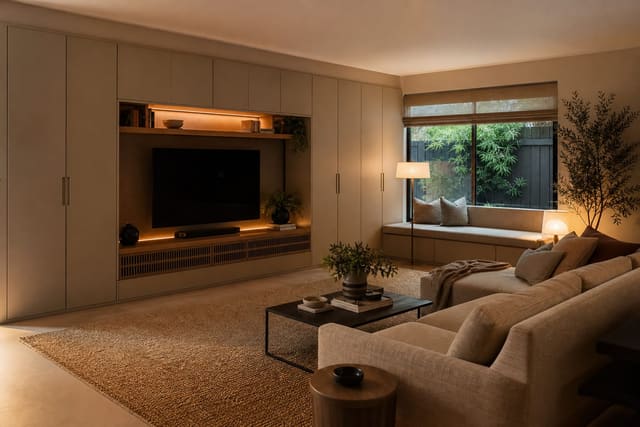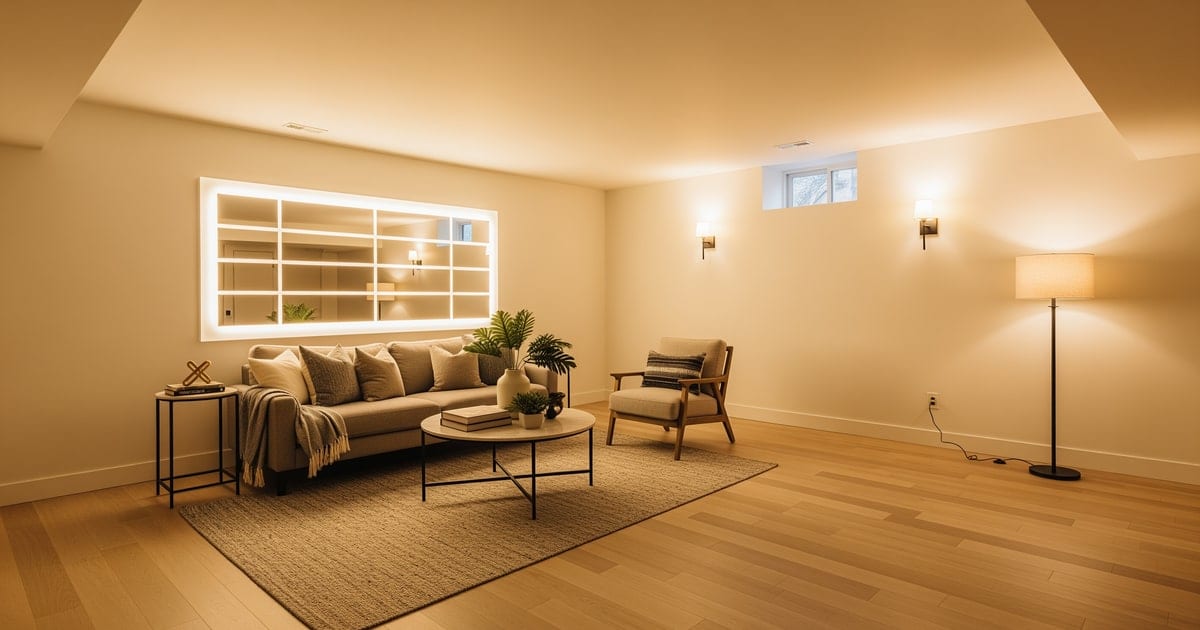
AI basement design previews real layouts on one uploaded photo — finished family room, second living room, home office, gym, guest suite, or media room — keeping the existing low ceiling, support post, egress window, and stair landing fixed while testing furniture, paint, and lighting to make the room read intentional, not utilitarian. An unfinished basement is the most intimidating room in the house because the blank slate is too blank. Concrete floor, exposed joists, ductwork running across the ceiling, one tiny window — nothing in the room tells you what it wants to be, so most owners postpone the decision for years. My opinion is blunt: the right AI preview can collapse two years of indecision into one afternoon by showing you four finished versions of the same basement before a contractor walks through the door.
Can AI help design an unfinished basement?
Yes. AI basement design works from a photo of the raw basement and generates a finished concept that respects the existing footprint, low ceiling, columns, and window placement. The strongest workflow is to take three photos — one wide shot from the bottom of the stairs, one from the opposite corner, one of any awkward features like a furnace closet or a bulkhead — and run two or three preview versions for each major use case (family room, home gym, guest suite, kids' playroom). AI does not replace a contractor or a permit, but it does turn "I don't know what this room could be" into "I know exactly what I want to build."
What AI basement design does well
Use-case visualization is the strongest win. The same 400-square-foot basement could be a TV lounge with sectional and bar, a home gym with mirrors and rubber flooring, a guest suite with a sleeper sofa and a small wet bar, or a kids' playroom with built-ins and a low reading nook. AI lets you preview all four in the same room and decide on use before paying for framing.
Ceiling treatment is the second-strongest preview. A 7-foot basement ceiling with painted-out joists reads completely different from the same ceiling with a coffered drop or a stretched fabric system. The strategies in low ceiling room design tricks apply doubly in basements, and AI shows you which approach actually opens the room.
Flooring is the third critical preview. Polished concrete, luxury vinyl plank, low-pile commercial carpet tile, and engineered wood read different in a basement than they do in a showroom photo. AI shows you which one fights the ceiling height and which one supports it. Carpet tile especially can look right or wrong depending on the wall color and lighting layered above it; preview before buying.
Lighting layering is essential and easy to get wrong. A basement needs at least three layers: ambient (recessed cans or a flush-mount track), task (table lamps, floor lamps at the seating zone), and accent (wall sconces, picture lights, LED tape behind a built-in). AI shows you the difference between a basement lit only by ceiling cans (cold, flat) and a basement lit by all three layers (warm, dimensional). Pair the preview with basement lighting above ground for the underlying rules.
Zoning is where AI shines for basements. A single open basement can be split into a TV zone, a play zone, a craft zone, and a workout zone using rugs, lighting changes, and a low bookcase as a divider. AI previews show how each zone reads from the stairs and whether the zones step on each other.
Test this on your own room photo with ReDesign before you choose the final direction; keep the doorway, walls, windows, main furniture, lighting, and awkward fixed features visible so the preview solves the room you actually have.
What AI basement design does badly
Egress windows and code requirements are invisible to AI. A bedroom in a basement requires a window large enough to escape from in an emergency, and the AI will happily render a bedroom without one. Always verify code requirements with a local inspector or contractor, not with a render.
Moisture and waterproofing are completely absent from the preview. AI will render a beautiful carpeted basement with built-in bookshelves directly against an exterior wall that floods every spring. Address moisture first, design second — no render can show you what a sump pump or a vapor barrier needs.
Ceiling height accuracy is unreliable. AI may render a basement with a 9-foot ceiling when yours is 7 feet 2 inches, making the room feel airy on screen and cramped in life. Always cross-check the rendered ceiling height against your actual height before committing to large furniture or a sectional that needs head clearance.
Ductwork and structural columns get edited out. The render often hides the duct that runs across the middle of the room or relocates a column to a more convenient spot. Always identify the immovable features in the photo and prompt the AI to keep them visible in the render so the finished design respects reality.
Sound insulation is invisible. A home theater in a basement needs acoustic treatment, soft surfaces, and ideally a real subfloor — none of which appear in a render that focuses on materials and styling.
How to use Re-Design for a basement preview
Be brutal about constraints. The basement preview only works when the AI knows what it cannot move.
Example: "Keep the existing concrete floor texture, the 7'2\" ceiling height, the duct running across the long wall at the ceiling, the small window on the short wall, and the staircase position. Finish the basement as a family room with TV zone and reading zone. Add 7-inch luxury vinyl plank flooring in warm oak. Drop a painted black ceiling treatment over the ductwork. Add recessed cans on a dimmer plus two table lamps at the TV zone and a floor lamp at the reading zone. Build a low 36-inch bookcase as the zone divider. Use warm white walls and a soft greige sectional. Style the TV wall with two picture lights and a single horizontal artwork above the TV."
Then run a second version that converts the same room into a home gym — rubber flooring, mirror wall, ceiling-mounted track lights, no TV — to compare use cases.
If the basement has both an above-ground feel and a partial-finished section, the same prompting pattern works, just split across two photos. The preview gets weaker when the AI has to invent geometry it can't see; clear photos and clear constraints beat fancy prompts.
Common AI basement design mistakes
- Letting the render raise the ceiling height; trust the tape measure, not the screen.
- Ignoring egress code for a basement bedroom.
- Designing over a moisture problem instead of solving it first.
- Hiding ductwork in the render and being shocked when the contractor can't move it.
- Skipping the lighting layers and ending up with a basement lit only by cans.
- Running one preview for "a finished basement" instead of three previews for three specific use cases.
- Buying basement-appropriate flooring without confirming subfloor needs.
Use AI design to preview your basement before you finish it
Basements are too big a project to start without a clear concept. Photograph the raw space, lock the immovable features in the prompt, run three previews for three use cases, and pick the one that solves the biggest problem in your household. The render becomes the design brief you hand to a contractor — far cheaper than discovering on framing day that the family wanted a gym instead of a guest room.
For partially finished basements where one zone is already livable and another is still raw, run one preview that respects the existing wall placement and one that opens the wall completely. Owners often discover the existing wall is doing nothing useful and the room reads better without it; renters cannot move walls, but the preview at least shows what the room could become if it were possible. Either way, decide on the wall question before flooring or lighting, because both depend on the final footprint. AI is much better at previewing a single decision in isolation than at orchestrating a six-decision renovation in one render — break the project into questions, run a preview for each, and assemble the answers.
Frequently Asked Questions
Can AI redesign a basement from one photo?
Yes — upload one wide-angle photo from the bottom of the stair landing showing the support post, egress window, and main floor zone, and the AI previews family room, office, guest, gym, and media layouts on the same image with the architecture fixed. Use the room photo to compare the visible layout and fixed constraints before committing, because door swings, windows, outlets, storage reach, circulation, and existing furniture decide whether the idea survives daily use.
What is the best use for an unfinished or partly finished basement?
Pick the daily use the rest of the house lacks — guest suite if you host often, home office or gym if you work or train from home, family room if main floor is crowded, media room if no other dedicated TV zone. Keep the preview honest by leaving the problem area visible in the frame, then compare one conservative version against one bolder version before you buy lighting, paint, furniture, or storage.
How do I make a low-ceiling basement feel taller?
Paint the ceiling, beams, and walls the same warm-white tone, run a low-pile rug instead of carpet, hang artwork at standard 60-inch center (not lower because of the ceiling), and use only low furniture (sofa under 32 inches tall, no tall bookcases). Check the result against ordinary movement first: drawer clearance, chair pullout, walkway width, glare, switch access, and sightlines matter more than a perfect catalog angle.
What lighting works in a basement with one small egress window?
Layer warm 2700-3000K recessed cans on a dimmer, two floor lamps in dark corners, and one accent over a feature wall; cool 4000K lighting in a basement always reads as a basement, warm light reads as a finished living space. Use the image to narrow priorities and measurements before ordering anything custom; final purchases still need real dimensions, outlet locations, installation limits, and product clearances.
How do I handle the support post and ductwork in a basement design?
Wrap the post in shiplap, square it into a column, or paint it the wall color so it disappears; box in ductwork along one ceiling edge so the rest of the ceiling reads clean — fighting the structure costs more than designing around it. If the preview invents architecture or hides the awkward feature you need solved, rerun it with stricter instructions so the result remains tied to your actual room.
> Try this: Ready to see this on your own room? Open ReDesign and run the preview.
Three transformations to try
1. AI-previewed family room with wrapped post and warm bulbs 2. AI-previewed home gym with rubber floor and mirror wall 3. AI-previewed guest suite with daybed and reading nook