AI hallway design previews paint color, sconce placement, art arrangement, and runner scale on one uploaded photo so a narrow or dark corridor reads as a designed room instead of a leftover path. They are usually treated as connective tissue between the rooms that matter, which is exactly why they end up beige, under-lit, and undecorated — and exactly why fixing one moves the perceived quality of an entire home more than any single other change. My opinion is blunt: a hallway is a room, and AI hallway design is one of the most cost-effective uses of a preview tool because the spend is small and the visual return is disproportionate.
Can you use AI to redesign a hallway?
Yes. AI hallway design generates a redesign of your existing hallway by analyzing a photo and previewing new paint colors, lighting fixtures, art arrangements, runners, end-wall treatments, and ceiling moves — while keeping the architecture, doors, and trim intact. The strongest workflow is to upload one wide photo from the entry end of the hallway, looking down the full length, so the depth and the terminating wall are both visible. Run two or three versions with one variable changed each time — sconces versus pendants, gallery wall versus single large piece, ceiling moulding versus flat — and use the comparison to commit. The render is reliable enough to turn an ignored corridor into a planned room.
What AI hallway design does well
The variables in a hallway are few, the room is narrow enough that proportional relationships are clear, and the finishes are forgiving. AI is excellent at the calls that decide whether the corridor reads as a room or as a left-over space.
- Paint color and contrast level. A hallway painted lighter than the rooms it connects reads bleached and shadowed; the same hallway painted slightly warmer and slightly darker reads intentional. Preview both and the comparison sells the darker version.
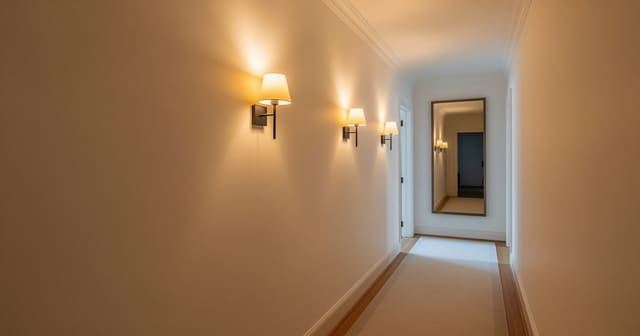
- Sconce placement and density. One sconce in a 14-foot hallway is decoration; three sconces evenly spaced is lighting. AI shows the difference and locks the spacing into the plan.
- Runner choice and length. A 2 by 8 runner in a 14-foot hallway floats; a 2.5 by 12 fills the space and gives the corridor a base. AI shows the proportional fit on the real floor.
- Art arrangement. A salon-style gallery wall, a single oversize landscape, or a pair of evenly-hung framed prints all carry the room differently. AI shows what the arrangement looks like at hallway viewing distance — which is short, which is why hallway art needs to hang lower than in any other room.
- The end-wall move. A console table with a lamp, a tall mirror, or a single large piece of art at the end of the hallway terminates the eye. Without it, the corridor reads as endless. AI shows the difference and the version with a clear end-wall almost always wins.
Small hallway moves that compound
- A picture-rail or chair-rail moulding breaks the wall into a top and bottom — a free perceived ceiling lift.
- A jewel-tone color on the ceiling (terracotta, soft sage, deep blue) makes the hallway feel taller and more architectural.
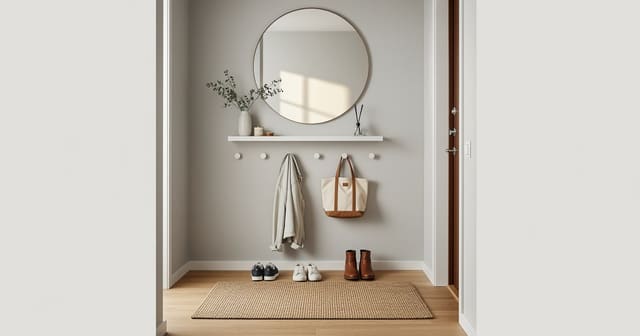
- A row of brass or unlacquered-brass hooks at the entry-end converts the first 24 inches of corridor into a functional drop zone without competing with the art down the hall.
- A 2700K bulb spec across every fixture — overhead and sconce alike — keeps the corridor warm; the moves in hallway lighting no windows translate directly into the prompt.
Test this on your own room photo with ReDesign before you choose the final layout; keep the room structure, daylight, ceiling line, and main path visible so the preview solves the space you actually have.
What AI hallway design does badly
Hallways have specific architectural realities that AI consistently invents or ignores. The render is useful for finishes and arrangements; the build is your responsibility to verify.
- Door swings are routinely ignored. AI may show a console that the bathroom door cannot open past, or a runner that bunches under the bedroom door. Confirm every door swing in person before ordering furniture.
- Sconce depth is invented. A wall sconce that sticks out 6 inches into a 36-inch wide hallway is a head-strike hazard. Lock the protrusion depth into the prompt and verify against the real fixture spec.
- Ceiling height in renders looks generous. A standard 8-foot hallway ceiling will not support a 24-inch pendant that the render makes look perfectly proportioned. Always cross-check fixture height against the actual ceiling.
- Outlets, switches, and thermostats are edited out. Identify these in the photo and prompt the AI to preserve them; otherwise the design assumes a magical clean wall.
- Runner pattern, especially in vintage and Persian styles, is reliably hallucinated. Use AI to test scale and color saturation; shop the actual pattern from a rug seller.
How to use Re-Design for a hallway preview
Be specific about the length of the hallway, the door locations, and the end-wall treatment. The hallway is small enough that a vague prompt produces a generic render.
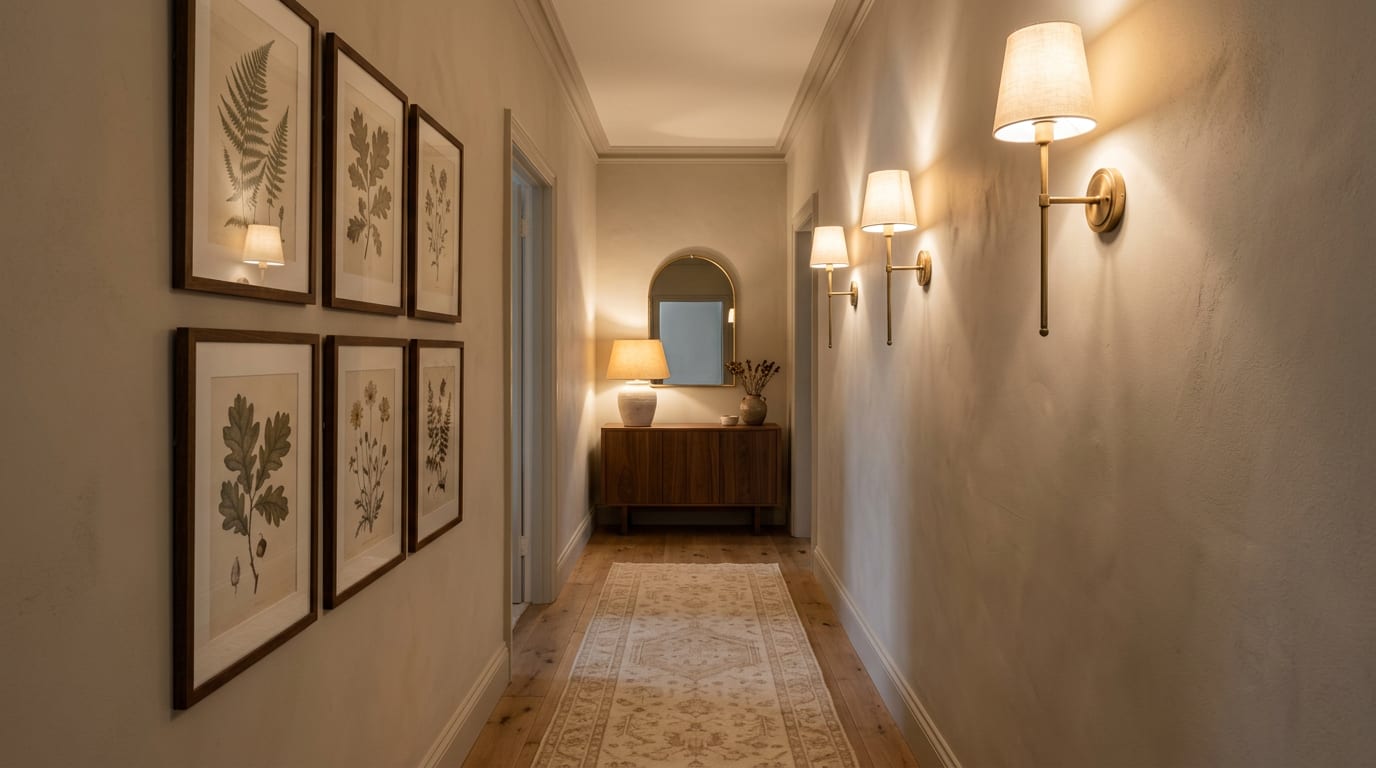
Example prompt: "Keep the existing trim, three door openings on the left side, and one door opening on the right. Repaint the walls in warm soft greige with the ceiling in the same color. Add three unlacquered brass single-arm sconces evenly spaced along the right wall at 66 inches off the floor. Add a 2.5 by 12 hand-knotted wool runner in soft natural with a low-pile flatweave centered on the floor. Hang a four-piece gallery of framed botanical prints on the left wall between the doors, centered at 57 inches to the gallery midline. At the end of the hallway, add a 36 inch walnut console table with a 14 inch ceramic lamp, an arched mirror centered above, and a single small piece of art leaning behind the lamp."
Run a second version with one variable changed — for example, the same prompt with a single oversize horizontal landscape painting on the left wall instead of the four-piece gallery. The comparison shows whether the gallery is reading as collected or noisy.
Save the best version, screenshot the sconce height, runner size, art height, and end-wall composition, and walk those notes into the order. The preview becomes the shopping brief.
If the hallway has no natural light at all, pair the AI preview with the moves in hallway lighting no windows — the lighting density and bulb-temperature decisions are what separate a corridor that reads renovated from one that reads forgotten.
Common AI hallway design mistakes
- Painting the hallway lighter than the rooms it connects because the render looked airy on screen and bleached in person.
- Spacing sconces too far apart because the render's contrast made each fixture look brighter than it actually is.
- Choosing a runner that is too short because the render did not show the full hallway length end-to-end.
- Hanging gallery art at 62 inches because that is the standard rule — hallway viewing distance is short, and 57 inches reads better.
- Skipping the end-wall move and leaving the corridor without a terminating composition.
- Forgetting to lock door swings and switch plates so the render edits them out.
- Trusting the runner pattern in the render instead of buying from a real rug seller with a real return policy.
Use AI design to preview your hallway before you paint or hang anything
Hallways reward homeowners who treat them as rooms. Photograph the corridor from the entry end, lock the architecture in the prompt, change one variable at a time, and use the comparison to commit. The runner, the sconces, the paint color, and the end-wall composition should match the preview you saved — because a hallway done well is one of the most cost-effective upgrades in any house, and the only way to make it work the first time is to see it before you build it.
For the broader upload workflow, use the AI design complete guide as the parent checklist, then return to this room-specific pass for scale, light, and layout choices.
Frequently Asked Questions
Can AI redesign a hallway from one photo?
Yes — upload a straight-on photo from one end of the corridor; the AI previews paint, sconces, art arrangement, and runners while preserving the corridor width, door positions, and ceiling height. Treat the preview as a scale and circulation test, not a shopping command, and keep the room openings, ceiling line, daylight, and fixed storage visible in the uploaded photo.
What paint color works in a dark hallway?
A warm off-white with light reflectance value above 70 brightens the corridor without going clinical; deep moody colors (forest, navy, mushroom) work only when there is real lighting and a wider corridor. Compare the result against ordinary use: door swing, chair pullout, walkway width, storage reach, evening light, and the view from the doorway matter more than a perfect catalog angle.
Sconces or recessed lighting in a hallway?
Wall sconces every 6–8 ft create rhythm and warmth; recessed lights every 4 ft work in modern corridors but feel commercial without dimming and a warm 2700K bulb. Run one conservative version and one bolder version, then choose the concept that still works with the existing windows, trim, floor color, and furniture you are likely to keep.
How wide should a hallway runner be?
Leave 4–6 inches of floor showing on both sides; for a 36 inch hallway, a 24–27 inch runner fits; thicker pile catches doorways, so keep pile under 0.5 inch. Use the image to narrow measurements and priorities before ordering anything custom; the final purchase still needs real dimensions, outlet locations, and product clearances.
How do I arrange art in a hallway?
Hang the center of art at 57–60 inches, space pieces 3–5 inches apart, and use frames of consistent material; salon walls work in wide corridors, single frames at door height work in narrow ones. If the preview invents architecture or hides the awkward feature you need solved, rerun it with stricter instructions so the result remains tied to your actual room.
Ready to see this on your own room? Open Re-Design and run the preview before you buy, paint, drill, or move furniture.
Three transformations to try
1. Bright pass with warm off-white, sconces, and a runner
2. Moody pass with deep paint, brass sconces, and gallery wall
3. Rental pass with peel-and-stick wallpaper and plug-in sconces