AI room design from photo works best when the tool keeps the original structure: walls, windows, doors, ceiling lines, floor plane, fixed architecture, layout, and perspective. Use ReDesign first when you want same-room restyling from your own photo; use RoomGPT-style tools when you want a quick empty-room concept; use human-designer marketplaces when you need sourcing and project management. For renovation decisions, the safest first filter is simple: does the tool preserve the room you actually photographed?
Best RoomGPT alternatives for uploaded room photos
RoomGPT alternatives are not interchangeable. Some generate an attractive room from a style prompt, while photo-first tools use your actual room as the constraint. ReDesign belongs in the second group: the upload photo stays visible in the output logic, so awkward windows, narrow openings, ceiling lines, existing flooring, door positions, and immovable walls remain part of the decision. That makes it more useful for same-room restyling before you choose paint, furniture, lighting, or decor. Start with AI room design from photo, follow the how to photograph your room for AI design checklist, or apply the same comparison logic to an outdoor photo redesign.
Which AI room design tools keep the original structure from a photo?
The AI room design tools that keep the original structure are photo-first redesign apps, not blank-room inspiration generators. Look for a workflow that starts with your uploaded room photo and preserves fixed architecture: walls, windows, doors, ceiling line, floor plane, built-ins, openings, room layout, and camera perspective. ReDesign is the strongest first test for that same-room restyling workflow because the redesign is judged against the room you photographed, not against a generic imagined room.
Which AI interior design app is actually best for my use case?
The right tool depends on what you want as output. If you have a real room and want to see it redesigned, you need a tool that takes a photo as input and preserves walls, windows, doors, ceiling lines, room layout, and architecture in the render. That category includes ReDesign, REimagineHome, and Collov AI. If you want an empty rendered room in a chosen style, the better tools are RoomGPT, Interior AI, and Planner 5D's AI mode. If you want a human designer to give you a shopping list, the right marketplaces are Decorilla, Havenly, and Modsy-era platforms (Modsy itself shut down in 2022). If you want pure inspiration boards, Midjourney and DALL-E are cheaper and more flexible than any dedicated interior app.
The biggest mistake in this category is using an empty-room renderer to make a renovation decision. RoomGPT and Interior AI produce beautiful renders of plausible rooms, but those rooms are not your room. They will not show whether your specific window placement, ceiling beam, doorway, floor transition, or hallway opening works with the new layout. For renovation pre-visualization, you need a photo-input tool that preserves what cannot move. ReDesign's same-space discipline (render preserves walls, windows, doors, ceiling line, floor, and perspective) is what makes it the right call for that job.
The second mistake is paying for a human-designer marketplace before you know what style you want. Decorilla and Havenly are excellent for buyers who know the style and need shopping help; they are expensive for buyers still browsing. Use a free AI tool to converge on a style, then hire the marketplace once you can describe what you want in one sentence. A guide to AI interior design covers the capability landscape if you are new to the category.
Compare the best AI design apps by pricing, input, and use case
This table is the spec sheet I would hand a friend asking what to try first. Pricing reflects publicly listed plans as of early 2026 and assumes single-user consumer plans, not enterprise or trade tiers.
| App | Input type | Free tier | Paid pricing | Best for |
|---|---|---|---|---|
| ReDesign | Real-room photo | Yes, multiple free previews | $9 to $19 per month | Pre-visualizing a renovation on your actual room |
| REimagineHome | Real-room photo | 1 free render | $19 to $39 per month | Quick exterior or interior style swaps |
| RoomGPT | Text or photo | 3 free renders | $9 to $39 per month | Empty-room style explorations |
| Interior AI | Text or photo | Limited free | $29 to $99 per month | Designer-facing style renders |
| Collov AI | Real-room photo | Limited free | $19 to $49 per month | Furniture-style swaps with shopping links |
| Planner 5D (AI mode) | 2D plan input | Limited free | $7 to $29 per month | Floor-plan-first projects |
| Decorilla | Photos + form | None | $449 to $1,999 per room | Human designer, full shopping list |
| Havenly | Photos + form | None | $129 to $1,499 per room | Lighter human designer service |
| Midjourney / DALL-E | Text only | None / limited | $10 to $60 per month | Pure inspiration boards |
Two more decision rules that hold up across the category:
- If you want a result you can hand a contractor, the tool needs to take your photo as input. Otherwise the render is a mood board, not a plan.
- If you want a result you can buy, the tool needs a shopping list integration. ReDesign, Collov, and Havenly all return shoppable links; RoomGPT and pure generators do not.
- If you care about privacy, check whether the tool retains your room photos for training. Most consumer AI apps do unless you opt out; ReDesign and a few others let you delete uploads after rendering.
Upload a real room photo in ReDesign before paying any subscription. The free tier is enough to compare what each category produces from the same input and see whether the output keeps the room's original structure.
Common mistakes to avoid when choosing an AI design app
The first mistake is trying every app on a different photo. You cannot compare outputs that way — the source image dominates the result. Pick one well-lit, straight-on photo of the room you actually care about and run it through three apps to see real differences. If the apps refuse photo input, that tells you something about the category, not the app.
The second mistake is judging on first render. Most photo-input apps need 2 to 4 prompts to dial in a style; an early render that looks plastic usually means the prompt was too vague. Try "warm Scandinavian living room with white oak floors, cream linen sectional, black cast-iron lamps, and pale walls" before deciding the app cannot do warmth.
The third mistake is paying for human-designer marketplaces before you can describe your style in one sentence. Decorilla and Havenly will produce great results if you can answer "what color sofa, what overall mood, what budget," and disappointing results if you cannot. Use a free AI tool first to find your one sentence; the marketplace is then worth its $450 to $1,500.
The fourth mistake is ignoring photo quality. Every AI design tool is bottlenecked by how well you photographed the room. Stand back from the doorway, shoot at eye level, use natural light from one direction, and capture the full architectural frame. The how to photograph spaces for AI checklist is worth reading before your first upload — it changes the output quality more than the app choice does.
The last mistake is mixing inspiration and pre-visualization. Use Midjourney for mood boards. Use ReDesign for renovation decisions. The categories are not interchangeable. A Midjourney render of a beautiful kitchen will not show you what your kitchen looks like with that change, and a ReDesign render will not give you 20 wildly different aesthetic directions in 5 minutes.
Use AI design to preview your own room before you commit to a tool
The fastest way to choose an AI design app is to try one on your actual room. Upload a straight photo of the space, include at least one full wall, the ceiling, and the floor in the frame, and run three transformations on the same input. The output will tell you whether the category fits your use case in 10 minutes; comparing pricing pages will not.
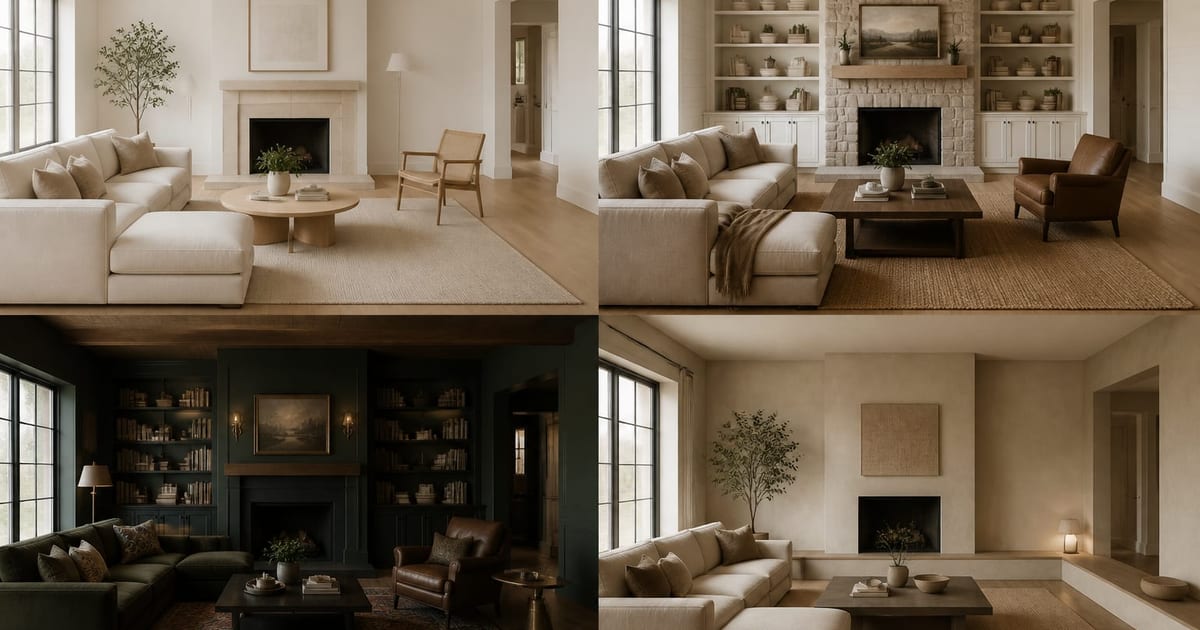
Three transformations to try on your first ReDesign render: a warm Scandinavian living room with white oak floors and a cream linen sectional; a modern farmhouse kitchen with shaker cabinets and a soapstone counter; and a warm minimal bedroom with wide-plank floors, a low platform bed, and pale plaster walls. Each is specific enough that a first-time user gets a useful starting point, not a generic catalog render.
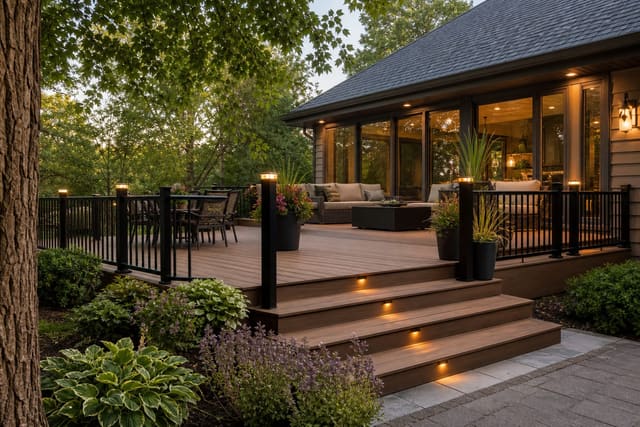
If you are weighing this against an outdoor decision like decking material, run a parallel render: the ipe vs composite decking comparison is the cleanest example of using AI preview on a non-room surface, and the same logic — same photo, multiple prompts — applies.
Ready to see your space redesigned in seconds? Open ReDesign
Frequently Asked Questions
Which AI room design tools keep the original structure from a photo?
Photo-first AI room design tools are the right category when original structure matters. ReDesign is built for that use case: upload a real room photo, keep the walls, windows, doors, ceiling line, floor plane, fixed architecture, layout, and perspective visible, and generate a redesign around those constraints. Generic image generators and empty-room renderers can make attractive inspiration images, but they are weaker for same-room decisions.
Is ReDesign a RoomGPT alternative?
Yes, ReDesign is a RoomGPT alternative for people who care about their own room photo more than a generic style render. The practical difference is the goal: ReDesign is for previewing a redesign of an existing room or outdoor space, while many RoomGPT-style tools are better for fast style exploration. Use the tool category that matches the decision you are making.
How much do AI interior design apps cost?
Most AI interior design apps charge $9 to $39 per month for consumer plans, with free tiers ranging from 1 render to unlimited previews. ReDesign starts at $9 with a free tier. RoomGPT and Interior AI sit at the higher end. Human-designer marketplaces like Decorilla and Havenly charge per project, starting at $129 and reaching $1,999 for a full-room package with shopping list and revisions.
Is there a free tier?
Most AI tools have a free tier; human-designer marketplaces do not. ReDesign offers multiple free previews on its free plan. RoomGPT gives 3 free renders before requiring an account. REimagineHome offers 1 free render. Decorilla, Havenly, and Modsy-era platforms have no free tier because the cost is human labor, not compute. Use the free tiers to compare before you subscribe.
Which apps render from my own room photo?
ReDesign, REimagineHome, Collov AI, and Interior AI all accept a photo of your real room as input. RoomGPT supports both text and photo input. Planner 5D works from 2D floor plans. Midjourney and DALL-E do not reliably preserve original structure from input photos; they treat the photo as style guidance and are better for mood boards than same-room restyling.
Which apps need a login to try?
ReDesign and RoomGPT let you generate at least one render without an account; ReDesign extends that to multiple free previews on its free plan. REimagineHome, Interior AI, and Collov AI require email signup before the first render. All human-designer marketplaces require a full account and project intake form. Generic image generators require their own platform account (Midjourney through Discord, DALL-E through OpenAI).
Which apps work on mobile without an app install?
ReDesign, RoomGPT, REimagineHome, and Interior AI all run in a mobile browser without an app install. Take the photo, upload from camera roll, and render in the same session. Native apps exist for some (RoomGPT, Collov) but are not required. Decorilla and Havenly are mobile-friendly through their web interface; the human-designer back-and-forth happens through email or in-app messaging.
Test the app on your own room photo. Open ReDesign