AI bedroom design previews bed scale, headboard style, nightstand pairing, and three-layer lighting on one uploaded photo so the bedroom decisions get easier before any furniture is ordered. A wider bed crowds the wall, a busier rug fights the headboard, and a brighter overhead destroys the calm the room is supposed to deliver. My opinion is blunt: AI bedroom design is useful exactly to the extent that it shows you which moves remove visual noise instead of adding it. Test the bed scale, the headboard style, the nightstand pairing, and the lighting plan in a preview, and most bedroom redesigns reduce in cost and improve in feel before any furniture is ordered.
How does AI bedroom design work?
AI bedroom design works by analyzing a photo of your existing bedroom and generating a redesign with new bed sizes, headboard styles, bedding, nightstands, lighting, paint, and window treatments while keeping the room's geometry and window placement intact. The strongest workflow is to upload one wide photo from the foot of the bed or the doorway with the wall behind the bed visible, then run versions that change one variable at a time — for example, a queen versus a king, a low panel headboard versus a tall upholstered headboard, or two matching wall sconces versus two matching table lamps. AI does not need a furniture catalog; it needs a clear photo and a prompt that says what stays and what changes.
What AI bedroom design does well
The bedroom is small enough that proportional relationships read clearly on screen, and most of the decisions reward subtraction rather than addition. AI is excellent at the calls that remove visual noise.
- Bed scale preview against the real wall. A queen with 24 inches of walking space reads completely different from a king with 18 inches. The right bed leaves enough room to walk and to open the closet door, not the one that fills the wall.
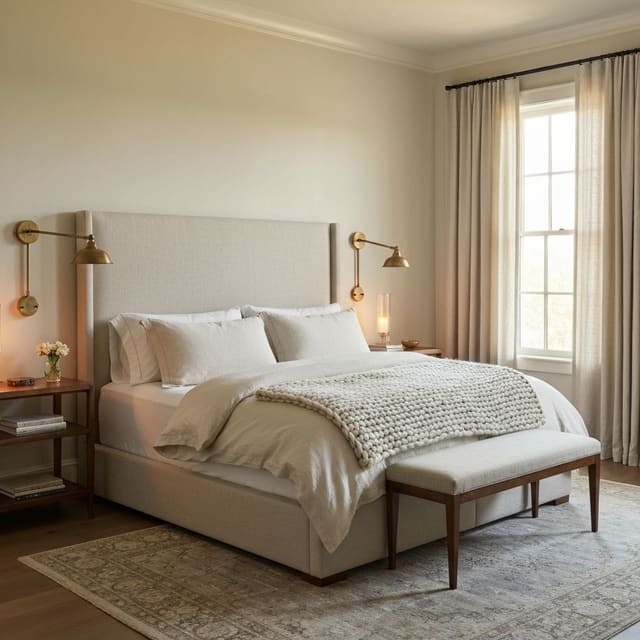
- Headboard style comparison. A low wood panel, a tall upholstered headboard, a wall-hung quilted panel, and a four-poster each change the room's temperature and ceiling-height perception. AI shows the same bed with three different headboards and the comparison usually picks itself.
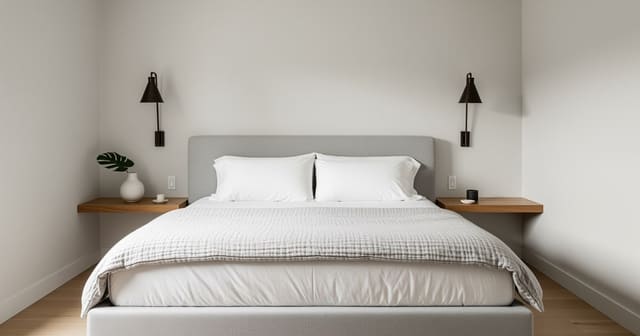
- Nightstand pairing trade-off. Two matching nightstands look formal; two unmatched but-related pieces look collected; one nightstand plus a wall sconce looks intentional. AI shows all three in your real room and the version that calms the room is the right one.
- Three-layer lighting plan. Overhead on a dimmer, bedside lamps or wall sconces, and a corner lamp or floor lamp make the room feel layered. The geometry rules in single window bedroom lighting translate cleanly into prompt language.
- Paint and wall-treatment trial. Warm white, soft greige, a moody saturated accent on the headboard wall, and an all-over color drench each read very different in low light. The version that calms the room at night is the one to trust.
- Window treatment height. Curtains hung at ceiling height versus at window-frame height, panels that almost touch the floor versus panels that hover. Preview both; the taller, fuller version is almost always the one that calms the room.
Subtraction moves AI handles surprisingly well
- Removing the second lamp in favor of a wall sconce — opens the nightstand for a book and a glass.
- Swapping a busy rug for a low-pile flatweave — the bedroom is the wrong room for visual noise.
- Skipping the bench at the foot of the bed in a tight room — the walking path matters more than the styling.
- Painting the headboard wall the same color as the rest — most accent walls fight the bed; AI shows you when they do.
Test this on your own room photo with ReDesign before you choose the final layout; keep the room structure, daylight, ceiling line, and main path visible so the preview solves the space you actually have.
What AI bedroom design does badly
The render is not a measurement. AI invents dimensions and ignores hardware that matters, and the bedroom is the room where those misses cost the most.
- Bed dimensions are reliably wrong. AI may render a king as visually queen-sized, or a queen as full-sized. Always verify the mattress dimensions and headboard width against your wall before ordering.
- Nightstand height is invented. A render may show a 26-inch nightstand under a 30-inch bed, or vice versa. The correct relationship is nightstand top within an inch or two of the mattress top.
- Rug size is often too small. A small rug in front of a bed reads worse than no rug. The right rug starts at the foot of the nightstands, runs under at least the lower third of the bed, and extends 18 inches past each side of the mattress.
- Closet doors and door swing are nearly always invented. AI may show a closet door swinging into a space the actual door cannot use, or replace a sliding door with a hinged one. Lock the door type into the prompt if it matters.
- TV placement is wildly inconsistent. A render may show a wall-mounted TV at the wrong height or in the wrong room zone. Treat any TV placement as a suggestion at best.
How to use Re-Design for a bedroom preview
Be specific about the bed size, the headboard, the nightstand pairing, and the lighting plan. The bedroom is small enough that a vague prompt produces a generic render.
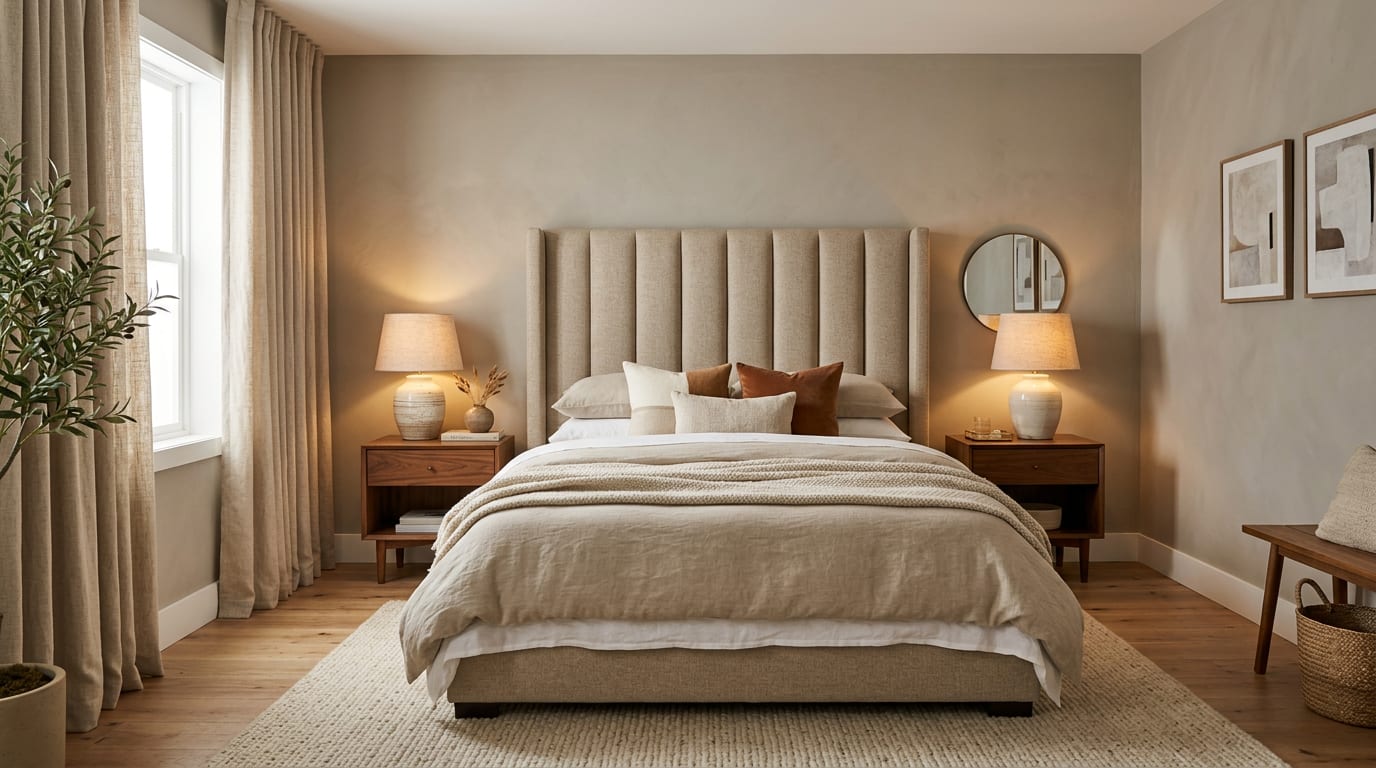
Example prompt: "Keep the existing window placement, closet doors, and wood floor. Replace the bed with a queen-size upholstered platform bed in warm oat linen with a 56 inch tall channel-tufted headboard. Pair with two 26 inch matching nightstands in warm walnut. Add two 28 inch warm-white ceramic table lamps with linen shades. Add an 8x10 wool rug with a low-pile flatweave centered under the lower third of the bed. Hang two matching framed prints above the nightstands. Add 9-foot linen curtains hung from a rod mounted at the ceiling, panels brushing the floor. Repaint the walls in warm greige."
Run a second version with one variable changed — for example, the same prompt with a king bed and a lower 36-inch wood panel headboard. The comparison will show whether the king is doing the calming work or eating the walking path. Save the best version, screenshot the bed size, headboard height, nightstand height, lamp height, curtain rod height, and rug size, and walk those notes into the showroom.
If the bedroom is the primary bedroom, the moves in master bedroom design translate cleanly into the prompt. If it is small to start with, the layout logic in small bedroom king-size bed tells you whether the king is realistic before you preview it.
Common AI bedroom design mistakes
- Trusting the bed proportion in the render instead of the spec sheet and the wall measurement.
- Ordering a rug from the preview that is 5x7 when an 8x10 is needed.
- Letting the AI choose a headboard that is too short or too tall for the wall.
- Skipping a layered lighting comparison and ending up with a one-source bedroom.
- Forgetting to lock the curtain rod height — AI may hang curtains at window-frame height by default.
- Pairing nightstands that fail the height rule because the render did not show the bed-top edge clearly.
- Designing for a closet door that does not exist or removing one that does.
Use AI design to preview your bedroom before you buy a bed
Bedrooms reward subtraction. Photograph the room from the foot of the bed, lock the geometry in the prompt, change one variable at a time, and use the comparison to commit. The bed that ends up in the room should be the one that left enough walking space in three previews — not the one whose photo looked most luxurious in isolation.
For the broader upload workflow, use the AI design complete guide as the parent checklist, then return to this room-specific pass for scale, light, and layout choices.
Frequently Asked Questions
Can AI redesign a bedroom from one photo?
Yes — upload a doorway or bed-wall photo; the AI tests bed scale (full, queen, king), headboard styles, nightstand pairing, dresser placement, and lighting while preserving windows, closet doors, and outlets. Treat the preview as a scale and circulation test, not a shopping command, and keep the room openings, ceiling line, daylight, and fixed storage visible in the uploaded photo.
Queen or king bed in a primary bedroom?
Queen fits comfortably in rooms 120–160 sq ft; king needs 180+ sq ft to leave 24 inches of side clearance on both sides — kings in smaller rooms eat the floor and ruin walking paths. Compare the result against ordinary use: door swing, chair pullout, walkway width, storage reach, evening light, and the view from the doorway matter more than a perfect catalog angle.
Matching or mismatched nightstands?
Matching when the room is symmetrical and the headboard centers between two windows or wall sections; mismatched (one chest, one open table) when the room is asymmetrical or two people want different bedside surfaces. Run one conservative version and one bolder version, then choose the concept that still works with the existing windows, trim, floor color, and furniture you are likely to keep.
How big should a bedroom rug be?
Either fully under the bed and nightstands (8x10 ft for queen, 9x12 ft for king) or a runner pair on each side at 2.5x6 ft; partial rugs under just the bottom third of the bed always look stranded. Use the image to narrow measurements and priorities before ordering anything custom; the final purchase still needs real dimensions, outlet locations, and product clearances.
How do I light a primary bedroom?
Three layers — warm 2700K bedside lamps, an overhead pendant or fan on a dimmer, and one floor lamp at a reading chair; cool 4000K overhead alone destroys sleep cues at night. If the preview invents architecture or hides the awkward feature you need solved, rerun it with stricter instructions so the result remains tied to your actual room.
Ready to see this on your own room? Open Re-Design and run the preview before you buy, paint, drill, or move furniture.
Three transformations to try
1. Queen-bed pass with matching nightstands and a single pendant
2. King-bed pass with mismatched nightstands and floor lamp at chair
3. Small-bedroom pass with full bed, wall sconces, and slim dresser