AI mudroom design previews bench-height, hook placement, locker scale, and floor material on one uploaded photo so a chaotic entry turns into a real drop zone before any carpenter shows up. A 60-inch bench with three hooks above it gets installed in every house in the suburb, and within a month every one of them is buried under jackets, backpacks, and dog leashes. My opinion is blunt: a mudroom is a behavior project disguised as a millwork project, and AI mudroom design is the fastest way to test whether the layout you are about to pay for actually matches the family that has to use it.
What does AI produce for mudroom or entryway design?
AI mudroom design generates a redesign of your existing entry by analyzing a photo and previewing a bench, hooks, lockers or cubbies, shoe storage, drop-zone lighting, and finish materials while preserving the door, window, and stair location. The strongest workflow is to upload one photo from inside the door looking toward the rest of the house, then run versions that change the storage type — open lockers versus closed cabinets, bench plus hooks versus full lockers, single-row hooks versus double-row hooks — one variable at a time. The render tells you which configuration matches the bags, coats, and shoes that actually come through your door, not the idealized mudroom in a catalog.
What AI mudroom design does well
Cubby and locker count is the biggest single decision in any mudroom, and AI is excellent at previewing it. Four 14-inch lockers for a family of four read very different from three 18-inch lockers for a family of three plus the dog. Test the right count for your household, with the right hook height for the shortest user, before paying for cabinetry.
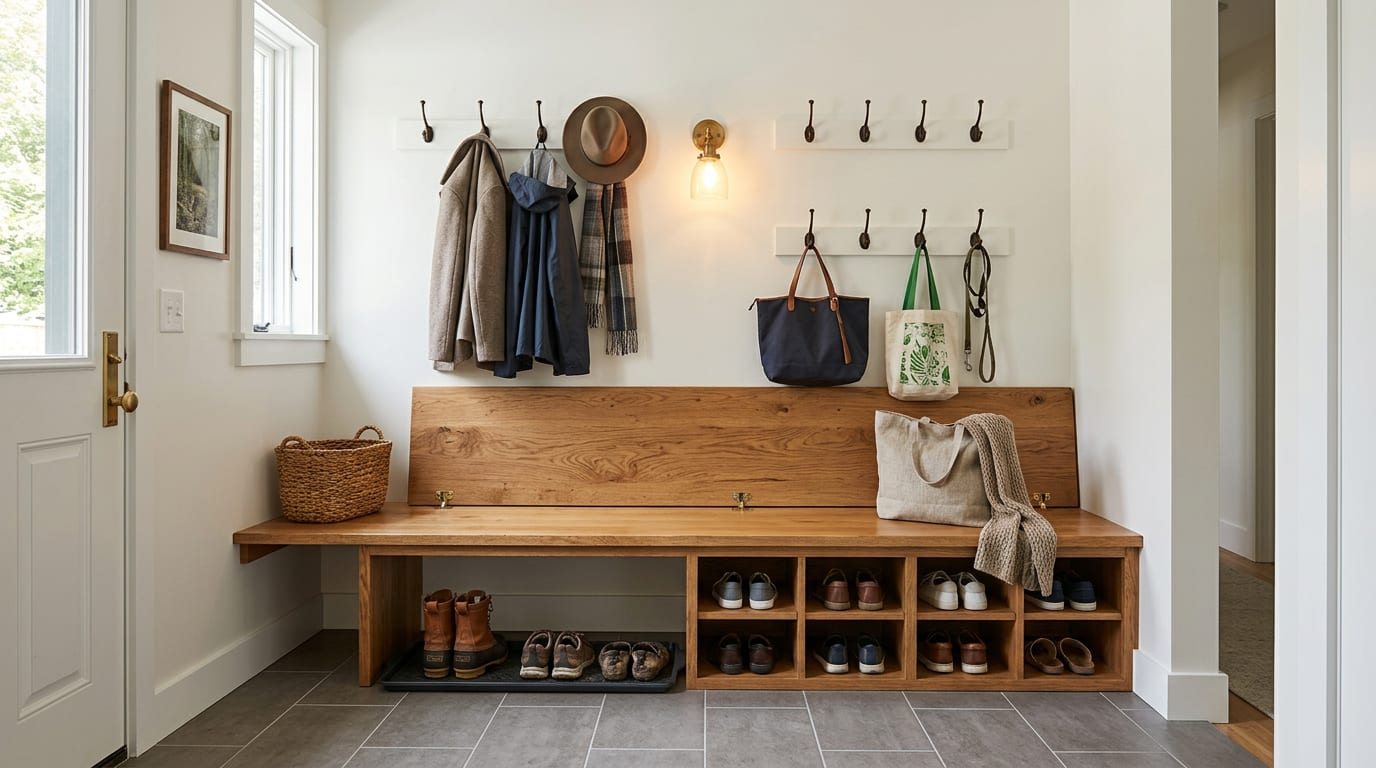
Bench versus drawer storage is the second-strongest win. A bench with a flip-up lid hides clutter; an open bench with baskets below shows it; a bench with drawers underneath splits the difference. AI shows the difference in your real space, with your real lighting, and the version that suits your tolerance for visible clutter is the right one.
Shoe storage is its own category. Open shelves, angled-shoe shelves, dedicated boot trays, or pull-out shoe drawers all have different capacities for the same square footage. Preview each in your actual mudroom and choose the one that fits the shoe count your household generates in a week.
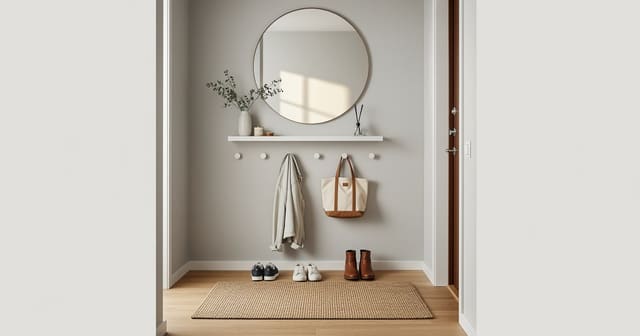
Hook height is invisible in plans and obvious in renders. Hooks mounted at 60 inches work for adults; hooks at 42 inches work for kids; the right mudroom usually has both. AI shows the difference and lets you commit to a double-row layout before drilling holes.
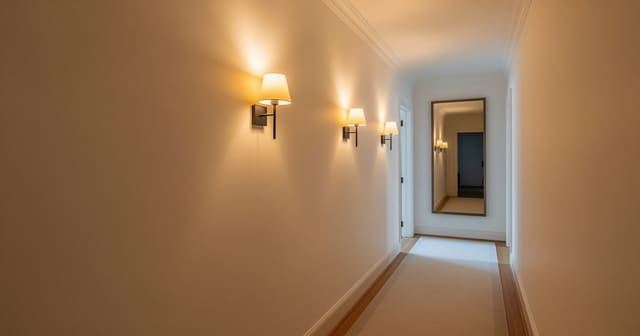
Lighting in a mudroom is usually missing. A single can-light over the bench produces shadows that hide the storage; a two-can layout plus a sconce over the bench lights the work surface. The principles in hallway lighting with no windows carry over directly — mudrooms behave like wide hallways and need the same layered approach.
Materials matter more in mudrooms than in any other room because the room takes the most abuse. AI shows you durable porcelain tile versus engineered wood, painted millwork versus stained, mat surfaces versus glossy. The version that survives the family is the right one — and you can see which one looks dirty fastest in the render.
Test this on your own room photo with ReDesign before you choose the final layout; keep the room structure, daylight, ceiling line, and main path visible so the preview solves the space you actually have.
What AI mudroom design does badly
Door swing is the most frequent miss. AI may show a bench that the front door cannot swing past, or a locker bank that blocks the door to the garage. Always verify the door swing in your real mudroom before committing to a layout. If the door swings inward, the bench depth has to subtract from the swing.
Cabinet depth is often wrong. AI may render a 12-inch-deep locker for coats when 16 to 18 inches is needed to hang a winter coat without crushing it. Verify cabinet depth against your actual coats — the longest, bulkiest item decides the spec.
Hook protrusion is invented. A flat-mount hook that sticks out 1.5 inches reads very different in the room than a 4-inch double-coat hook with bags hung from it. Lock the hook style in the prompt and verify in person.
Electrical outlets, baseboard heaters, and HVAC vents are routinely edited out of mudroom renders. Identify these in the photo and prompt the AI to preserve them; otherwise the design assumes a magical clean wall.
Tile pattern, especially in herringbone, hexagon, or basketweave, comes back hallucinated. Test scale and color in the preview, then confirm the actual pattern with a sample board from the tile vendor.
How to use Re-Design for a mudroom preview
Be specific about the household, the storage need, and the constraints.
Example prompt: "Convert this 7 by 5 foot mudroom inside the garage entry for a family of four with one large dog. Add a 60 inch bench with a flip-up lid in warm oak, 18 inches deep, with a row of four hooks at 60 inches and a second row of four hooks at 42 inches above the bench. Add a wall-mounted dog leash hook at 48 inches by the door. Below the bench, add a boot tray and two open cubbies for shoes. Replace the floor with a 12 by 24 porcelain tile in warm gray with dark grout. Repaint the walls in semi-gloss soft white. Add two 6 inch can lights centered over the bench, plus a single warm-white sconce above the bench between the two hook rows. Replace the door hardware with matte black."
Run a second version with one variable changed — for example, the same prompt with full lockers instead of a bench plus open hooks. The comparison shows whether the lockers hide the chaos or just make the room feel narrower.
Save the best version, screenshot the hook heights, bench depth, locker count, and tile scale, and walk those notes into the carpenter conversation. The preview becomes the build brief.
A mudroom often shares a wall or a function with the coat closet next door. The household logic in coat closet organization for a family and the entry rules in tiny entryway apartment solutions pair well with the AI preview when the mudroom has to do double duty.
Common AI mudroom design mistakes
- Designing for a clean version of your family instead of the gear that actually comes through the door.
- Letting the AI render lockers too shallow for winter coats.
- Skipping the second row of hooks and ending up with a mudroom that only the tallest user can reach.
- Running one preview instead of two or three storage configurations.
- Ignoring the door swing and ordering a bench that blocks the door.
- Forgetting to lock the dog leash or the stroller into the prompt if those items pass through every day.
- Trusting the tile pattern in the render; tile is the slowest decision to reverse if it lands wrong.
Use AI design to preview your mudroom before you buy lockers
Mudrooms are small enough that AI gets the proportions right and high-traffic enough that even a modest improvement compounds daily. Photograph the room with the door in frame, prompt for specific hook heights and locker counts, run a bench-versus-locker comparison, and walk into the carpenter conversation with a real plan. The result is a mudroom that catches the chaos of a normal Tuesday — not a magazine room that fails on the first day of school.
For the broader upload workflow, use the AI design complete guide as the parent checklist, then return to this room-specific pass for scale, light, and layout choices.
Frequently Asked Questions
Can AI redesign a mudroom from one photo?
Yes — upload a doorway photo showing the entry wall and floor; the AI tests bench depth, hook height, locker scale, basket storage, and floor material while preserving door swings and trim. Treat the preview as a scale and circulation test, not a shopping command, and keep the room openings, ceiling line, daylight, and fixed storage visible in the uploaded photo.
How deep should a mudroom bench be?
Fifteen to 18 inches handles shoes and a seated child; 20 inch benches start blocking traffic in a corridor mudroom — deeper than that requires a dedicated room, not a pass-through. Compare the result against ordinary use: door swing, chair pullout, walkway width, storage reach, evening light, and the view from the doorway matter more than a perfect catalog angle.
Open hooks or closed lockers in a mudroom?
Hooks work for daily coats and bags; closed lockers hide sports gear, off-season jackets, and bulk supply; a mix of hooks at 60 inches plus closed cubbies above and below absorbs the chaos. Run one conservative version and one bolder version, then choose the concept that still works with the existing windows, trim, floor color, and furniture you are likely to keep.
What floor survives a mudroom?
Porcelain tile, sealed concrete, or luxury vinyl plank rated for wet areas; engineered hardwood survives 18 months before warping in a snow-belt mudroom. Use the image to narrow measurements and priorities before ordering anything custom; the final purchase still needs real dimensions, outlet locations, and product clearances.
How do I light a mudroom?
Bright 3000K–4000K overhead for stain and dirt spotting, one warm sconce or pendant for the entry experience, dimmable; cool daylight alone reads commercial. If the preview invents architecture or hides the awkward feature you need solved, rerun it with stricter instructions so the result remains tied to your actual room.
Ready to see this on your own room? Open Re-Design and run the preview before you buy, paint, drill, or move furniture.
Three transformations to try
1. Bench-and-hooks pass with cubbies above and baskets below
2. Locker pass with full-height closed storage and tile floor
3. Small-mudroom pass repurposing a closet with hooks and a low bench