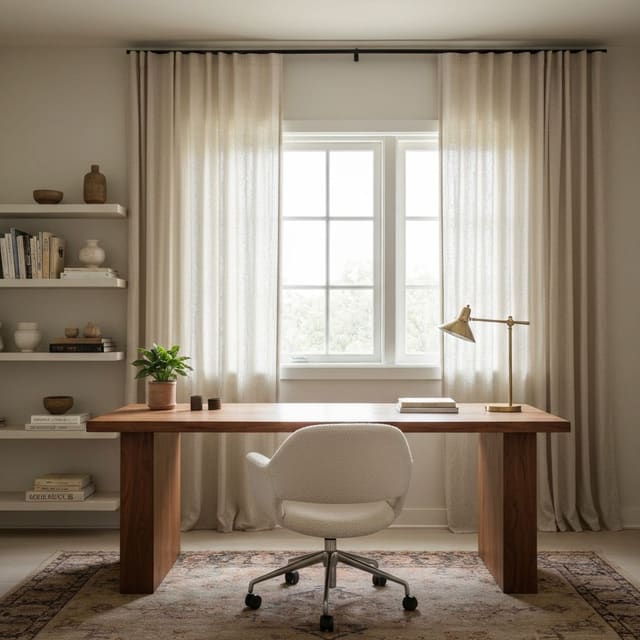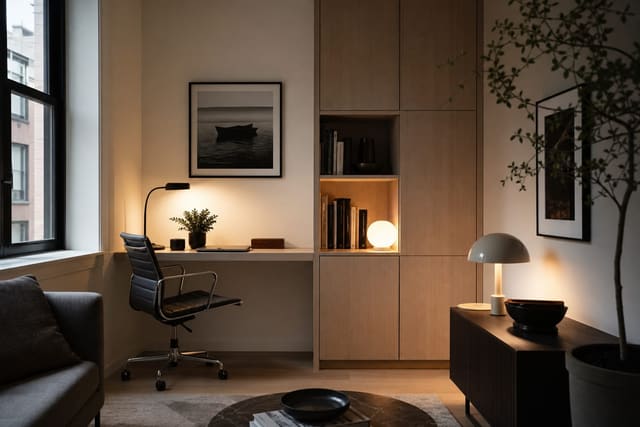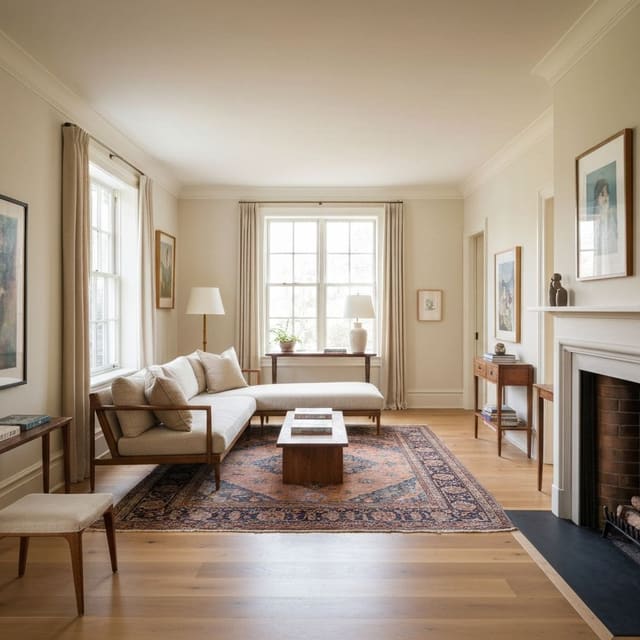
A home office zones inside a living room when the desk turns 90° to the seating (so backs do not face each other), one rug defines the office zone separately from the living rug, the desk furniture matches the wood and tone of the living furniture (not office-supply beige), and the work can close down — lid down, papers in a tray, lamp off — before guests arrive. Working from home in a living room is a focus problem, a design problem, and a posture problem. The sofa is ten feet away, the TV is in sightline, and the "desk" is often a dining table or a laptop perched on a coffee table. The office zone doesn't need its own room — it needs a clear visual boundary, a real desk at the right height, and two or three tricks that signal to the brain that this zone is for work. Built right, a living room office zone disappears into the apartment design when work is done and functions as a real workspace during the day.
How do you fit a home office in a living room?
Place the desk perpendicular to the longest wall or in a corner, with the monitor positioned so neither a window nor the TV is in direct sightline. Add a visual boundary — a bookcase, a room divider, or a rug that defines only the work zone — at a depth of 5'–6' from the desk. Then address acoustics with soft furnishings and background sound. The desk placement is the most important decision: the wrong location means your brain never fully disconnects from the living room during calls.
Desk placement: the four options
Option 1: Corner placement. A corner L-desk or two standard desks forming an L fits into any corner with a footprint of 60"x60". The corner absorbs the desk so it doesn't dominate the room. Best for rooms 12'+ wide; the corner setup doesn't block circulation.
Option 2: Back-to-sofa. The desk faces the wall; the sofa faces away from the desk. A console table (30"–36" deep, 48"–60" wide) placed against a wall with the sofa positioned 36"–48" behind it gives the desk zone a physical buffer. Works in living rooms with a natural length axis.
Option 3: Perpendicular to the long wall. The desk pushes into the room at 90° from the wall, creating a small alcove between the desk return and the wall. Works best with a 60" desk — 24"–30" of space on either side for circulation. Requires at least 14' of room width.
Option 4: Nook claim. A dead corner, a former dining nook, or a space next to a fireplace becomes the designated office. Frame it with built-in floating shelves on each side of the desk. The shelves transform a makeshift zone into a designed alcove.
Test this on your own room photo with ReDesign before you choose the final direction; keep the doorway, walls, windows, main furniture, lighting, and awkward fixed features visible so the preview solves the room you actually have.
Visual boundaries that define the zone
A living room office zone without a visual boundary bleeds into the rest of the room and makes both zones feel smaller.
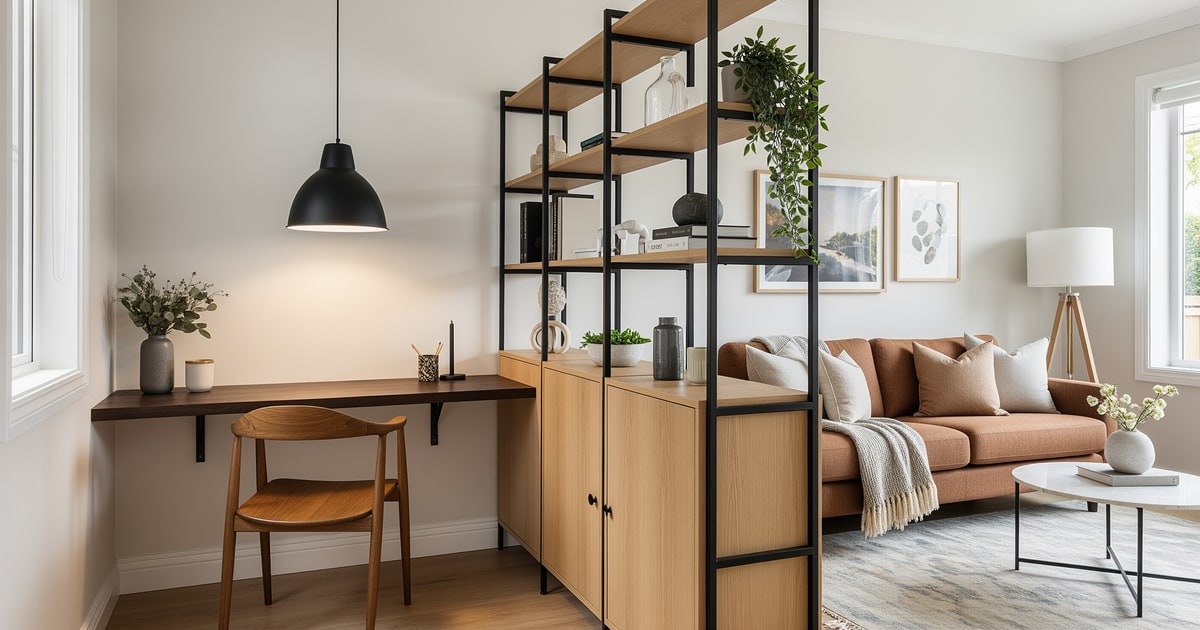
- Bookcase as a divider. A 36"–48" wide, 72"–84" tall bookcase placed perpendicular to the wall behind the desk creates a partition that also adds massive storage. The side facing the office gets books and work materials; the side facing the living room gets decor.
- Room divider or folding screen. A 3-panel folding screen at 66"–72" height gives total visual separation when work is happening and folds flat when it's not. Not a hack — it's a designed zone signal.
- Pendant or track light directly over the desk zone only. A pendant at 60"–72" over the desk and nothing else in that area signals "this space is different" to everyone in the room, including the person working.
- A rug under the desk only. A 5'x8' rug under the desk zone that doesn't extend under the sofa physically delineates the office without any furniture.
Desk setup that actually works for full-time work
A laptop on a dining table is not an office. The ergonomic minimum for sustained desk work:
- Desk height: 28"–30" for seated work. Standard dining tables (30"–31") are a half-inch too high for most keyboards. A proper desk at 28"–29" saves wrists.
- External monitor at 20"–24" from the face with the top of the screen at eye level or 2"–3" below.
- Chair height so feet are flat on the floor. Dining chairs are almost never the right height for keyboard work. A height-adjustable desk chair (Herman Miller Aeron, Autonomous ErgoChair, or even a $200 option) changes the physical cost of remote work.
- Desk depth: 24"–30" minimum for a monitor + keyboard + mouse layout. Shallower desks push the monitor too close.
Acoustic fixes for a living room office
A living room is acoustically worse than a dedicated office — hard floors, high ceilings, parallel walls.
- Large area rug in the living zone (not just the desk zone). Absorbs sound reflections.
- Curtains on every window. Linen curtains are the cheapest acoustic panel per square foot.
- Bookcase on the wall between the desk and the TV. Books are excellent diffusers — they absorb and scatter reflections.
- A desk acoustic panel or fabric-wrapped art directly behind the monitor. Looks like decor; absorbs your voice during calls so you don't sound like you're in a bathroom.
The desk should be sized like furniture, not office equipment. A 42 to 48 inch wide desk is enough for a laptop and monitor, while 22 to 24 inches of depth keeps the piece from swallowing the room. Leave about 30 inches behind the chair if it backs into a walkway, or use a dining-style chair that tucks fully under the desk when work ends. A secretary desk, wall-mounted rail shelf, or console-depth desk usually looks better beside a sofa than a corporate workstation. The lighting plan from home office lighting should be built into the zone from the beginning; a desk without its own lamp reads temporary.
The finish pick is what makes the office belong to the living room. Match the desk wood to an existing coffee table or media console, then use one closed storage box for cables and paper so work can disappear after hours. Renters can define the zone with a rug edge, leaning art, and a plug-in sconce; owners can add a low partition, built-in shelf, or switched outlet. Do not place the desk where the user faces the sofa with their back to the room unless there is no other choice. For studio apartments, the small space studio guide gives a better model: create a work zone the eye understands, then let it recede when the day is over.
Common living-room-office mistakes
- Desk facing a window. Glare on the screen and visual distraction behind the monitor.
- Desk facing the TV. Your eyes will drift. Put the TV out of sightline entirely.
- Laptop-on-dining-table indefinitely. Posture and focus both suffer. A $300 desk and $200 chair pay back in years of better health.
- No visual boundary. The zones collapse. Both feel compromised.
- White noise coming from a phone speaker. Use a proper desktop speaker or a small white-noise machine. Phone speakers run out of battery at 2 p.m.
- Letting work storage spill into the seating area. The desk can be visible, but cables, files, and printer supplies need a closed home or the entire living room reads like an office.
- Letting office supplies face the sofa. The work zone can stay visible, but paper stacks and cables should not become the living room focal point.
Use AI design to preview your zoned living room
Deciding where to put the desk and which boundary method to use is hard in an abstract floor plan. AI design lets you photograph your living room and preview the desk-in-corner version, the bookcase-divider version, and the pendant-over-desk version side by side — in your actual room. The preview replaces a month of "I'll figure it out eventually" with a 10-minute decision.
Frequently Asked Questions
Where should the desk go in a shared living room?
Behind the sofa, in a window alcove, or in a corner turned 90° to the seating — never with the desk back facing the sofa, which makes the work surface visible to everyone watching TV. Use the room photo to compare the visible layout and fixed constraints before committing, because door swings, windows, outlets, storage reach, circulation, and existing furniture decide whether the idea survives daily use.
How do I make a desk match a living room?
Choose a desk in the same wood tone as the coffee table or media console, swap the office chair for an upholstered upgrade in the same fabric family as the sofa, and skip filing cabinets in favor of a closed credenza. Keep the preview honest by leaving the problem area visible in the frame, then compare one conservative version against one bolder version before you buy lighting, paint, furniture, or storage.
Do I need a rug under a living room desk?
Yes — a 5x7 or 6x9ft rug under the desk and chair defines the office zone separately from the living rug; without it the office reads as scattered furniture. Check the result against ordinary movement first: drawer clearance, chair pullout, walkway width, glare, switch access, and sightlines matter more than a perfect catalog angle.
How do I keep work out of weekend living?
End-of-day closeout — lid down, papers into a closed tray, monitor off, chair pushed in — turns the office back into furniture; without a closeout routine, work pollutes the room visually 7 days a week. Use the image to narrow priorities and measurements before ordering anything custom; final purchases still need real dimensions, outlet locations, installation limits, and product clearances.
Should the desk be on its own circuit?
Not necessary — a single 15A circuit handles laptop, monitor, and printer; what matters is one nearby outlet so cords do not run across foot traffic. If the preview invents architecture or hides the awkward feature you need solved, rerun it with stricter instructions so the result remains tied to your actual room.
> Try this: Ready to see this on your own room? Open ReDesign and run the preview.
Three transformations to try
1. Behind-sofa desk in living room with rug zone 2. Corner office zone with upholstered chair 3. Window alcove desk in living room